
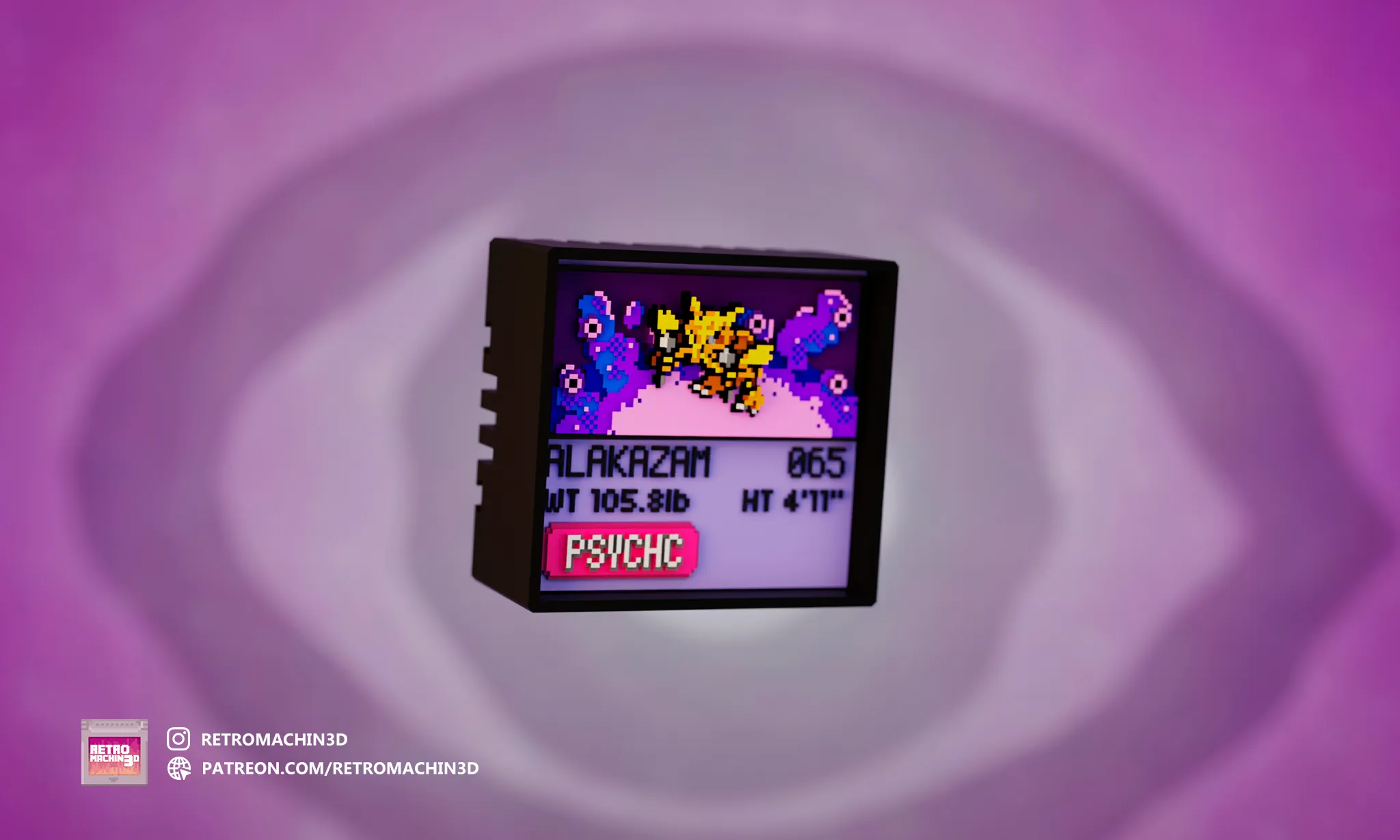
#065
DROP 018 Alakazam
psychic
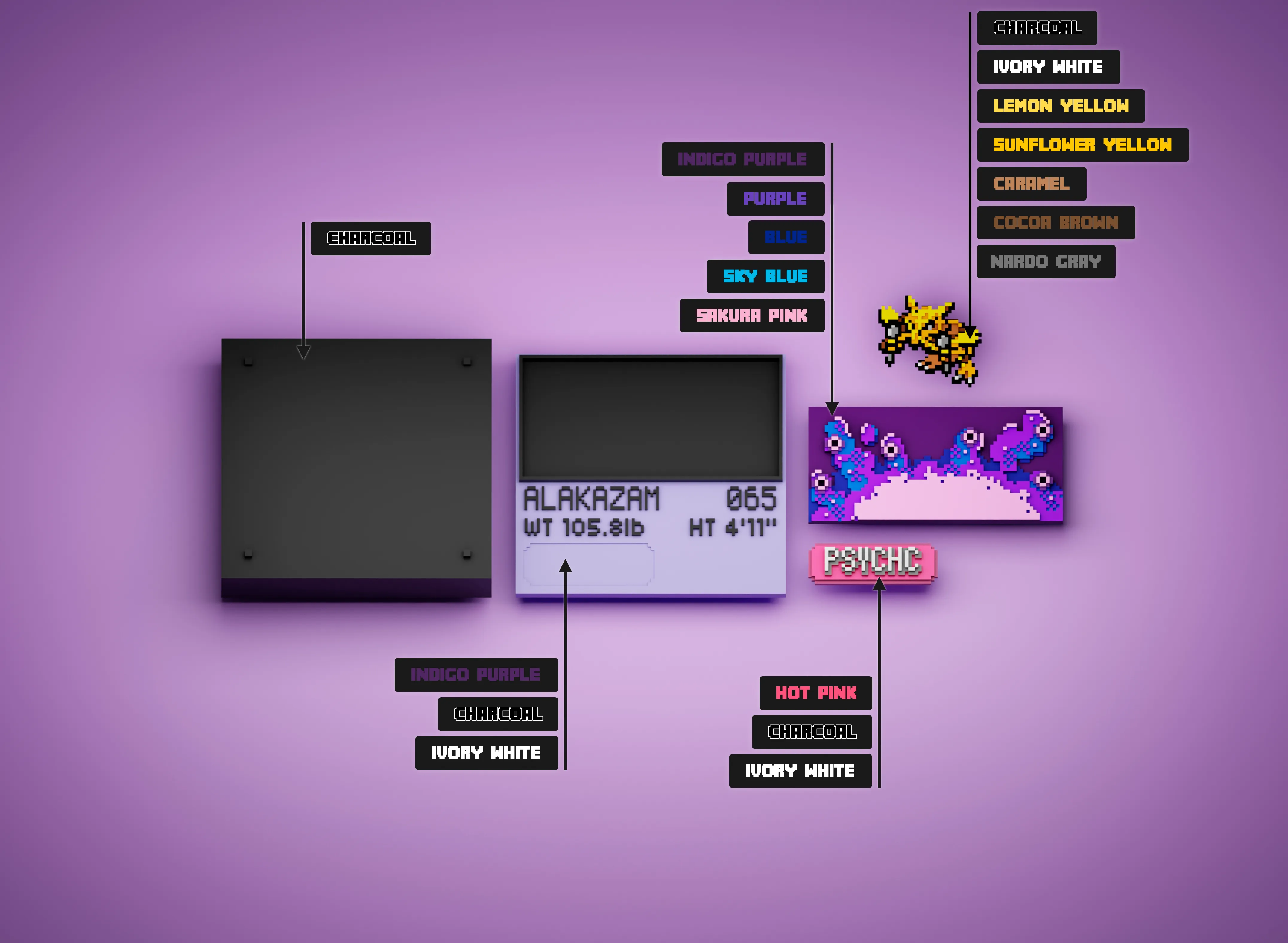
Required Filaments

Charcoal
PLA Matte
11101

Indigo Purple
PLA Basic
10701

Purple
PLA Basic
10700

Ivory White
PLA Matte
11100

Sakura Pink
PLA Matte
11201

Blue
PLA Basic
10601

Hot Pink
PLA Basic
10204

Sunflower Yellow
PLA Basic
10402

Lemon Yellow
PLA Matte
11400

Caramel
PLA Matte
11803

Cocoa Brown
PLA Matte
11802

Nardo Gray
PLA Matte
11104
Get This Model
Print Instructions
General Print Settings
Applicable to all parts unless specified otherwise:
- Layer Height: 0.1mm
- Nozzle Diameter: 0.2mm
- Infill: 100% (recommended for durability)
- Materials: PLA or compatible filament
Color Change Setup
For BambuStudio Users
✅ Pre-configured Solution:
- Use included
.3mffile with:- Automatic color swaps
- Optimized AMS slot assignments
- Layer-specific Z-height adjustments
For Other Slicers
🔧 Manual Configuration:
- Import individual STL files
- Set color changes using layer/Z-height tables below
- Enable purge towers for clean transitions
AMS Slot Optimization (7 Colors in 4 Slots)
Shared Slot Configuration
| Slot | Initial Filament | Swap Filament | Swap Layer |
|---|---|---|---|
| 1 | PLA Matte Charcoal | PLA Matte Nardo Gray | 6 |
| 2 | PLA Matte Ivory White | PLA Basic Sunflower Yellow | 10 |
| 3 | PLA Matte Cocoa Brown | PLA Matte Lemon Yellow | 13 |
| 4 | PLA Matte Caramel | — | — |
| Implementation Steps: |
- In Bambu Studio: Assign both colors to shared slots
- Replace the filament in the shared slot without pausing the print.
Part Printing Guides
Part 1: Background (BG Psychic.stl)
| Layer | Z-Height | Action | Filament |
|---|---|---|---|
| 0 | 0.0mm | Start print with | Basic Indigo Purple |
| 9 | 0.9mm | Swap to | Basic Blue |
| 14 | 1.4mm | Swap to | Matte Sky Blue |
| 18 | 1.8mm | Swap to | Matte Sakura Pink |
| 20 | 2.0mm | Swap to | Basic Purple |
| 26 | 2.6mm | Final swap to | Matte Sakura Pink |
Part 2: Type (Psychic.stl)
| Layer | Z-Height | Action | Filament |
|---|---|---|---|
| 0 | 0.0mm | Start print with | Basic Hot Pink |
| 7 | 0.7mm | Swap to | Matte Charcoal |
| 8 | 0.8mm | Swap to | Basic Hot Pink |
| 16 | 1.6mm | Swap to | Matte Charcoal |
| 23 | 2.3mm | Final swap to | Matte Ivory White |
Part 3: Info Screen (InfoScreen.stl)
| Layer | Z-Height | Action | Filament |
|---|---|---|---|
| 0 | 0.0mm | Start print with | Basic Indigo Purple |
| 24 | 2.4mm | Swap to | Matte Ivory White |
| 25 | 2.5mm | Final swap to | Matte Charcoal |
Part 4: Pokemon (065 Alakazam.stl)
| Layer | Z-Height | Action | Filament |
|---|---|---|---|
| 0 | 0.0mm | Start print with | Matte Charcoal |
| 6 | 0.6mm | Swap to | Matte Ivory White |
| 10 | 1.0mm | Swap to | Matte Cocoa Brown |
| 13 | 1.3mm | Swap to | Matte Caramel |
| 16 | 1.6mm | Swap to | Matte Nardo Gray |
| 19 | 1.9mm | Swap to | Basic Sunflower Yellow |
| 23 | 2.3mm | Final swap to | Matte Lemon Yellow |